01
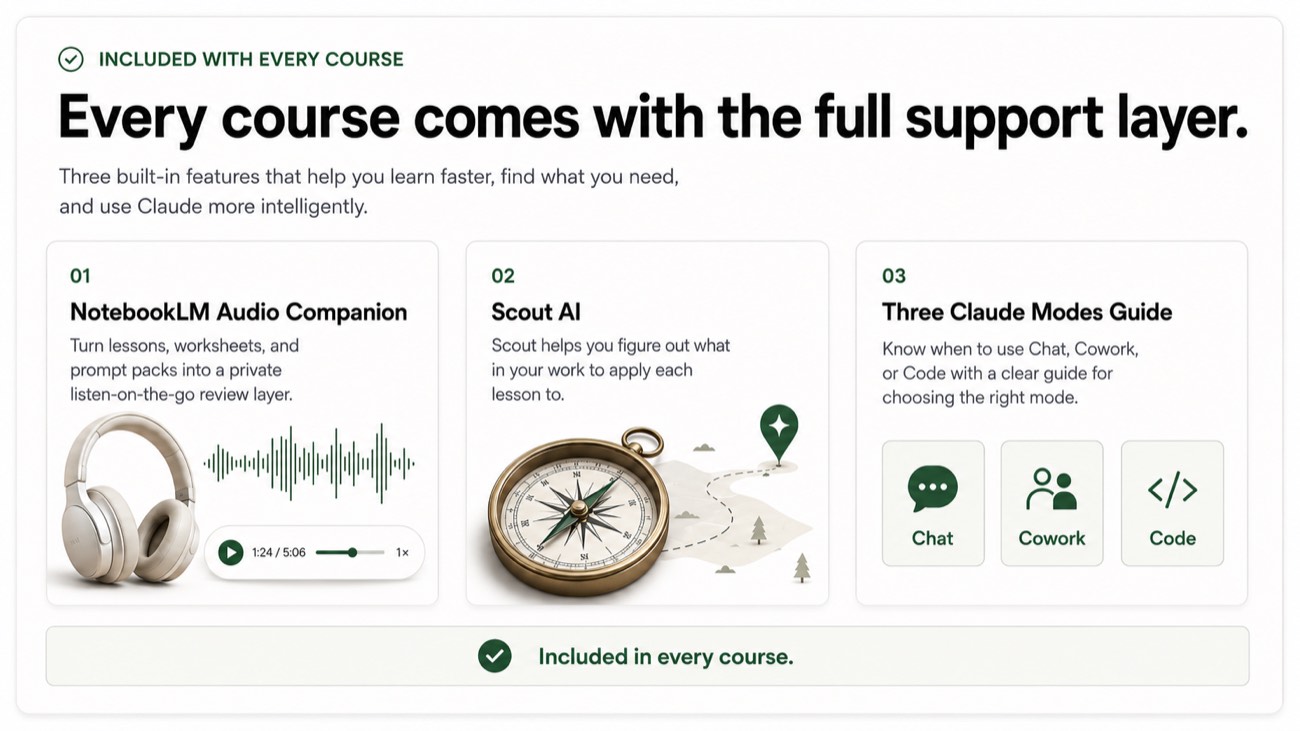
◆ The Leverage Club is open · free while you are enrolled
DECKS
◆ AI SLIDE DECKS · THE LEVERAGED YEARS
Turn rough notes into a client-ready slide deck, without hiring a designer.
- The Workflow: Turn rough notes into a clear, client-ready deck in your own voice: structure the narrative, draft the slides, and refine them with Claude, while your thinking and your client material stay with you.
- The Artifact: A deck-building workflow with copy-paste prompts and checklists, built across 7 modules and 28 lessons.
- The Boundary: You retain full professional judgment and must verify all AI-assisted work.
- The Proof: Read the related AI board presentation briefing →
For consultants, strategists, sales leaders, and executives who build decks every week. No design skill and no AI experience required. You bring the thinking. Claude helps you turn it into a clear, professional deck, fast, and in your own voice.
Built for · consultants, strategy and sales teams, and executives
You have judgment, context, and years of knowing what a client needs to hear. What you have been missing is a simple, trustworthy way to turn messy notes into a polished deck. Your client material stays safe. Your decisions stay yours.
Investment
$195
One-time payment. Lifetime access. The Leverage Club included while you are enrolled.
No subscription, no surprises
7 short modules, 28 lessons in total, with a copy-paste prompt, worked example, exercise, and checklist in every applied lesson, plus future updates.
At a glance
Who it is for
Consultants, strategists, sales leaders, and executives who build decks every week, especially those new to AI. Comfortable with a browser, no coding, no design skills.
Investment
$195 one time.
Format
Self paced. Lifetime access. The Leverage Club included while enrolled.
What you keep
Your reusable deck skeleton, your Deck Prompt Vault, and your Personal Deck SOP.
Includes
7 modules, 28 lessons, prompts, examples, a Deck Review Checklist, and your Personal Deck SOP.
From The BriefingNew to this? Read how to build a client-ready slide deck with AI, step by step before you enroll.
01The problem
The slide that will not start.
The blank page that eats your afternoon.
You open a blank deck on a Tuesday for a Thursday meeting. The ideas are on a page of messy notes, but the structure will not come. You copy an old deck, fight the formatting, and lose two hours moving boxes around instead of sharpening the message.
This course is a calm path from rough notes to a finished deck. Practical steps, not theory you will never use, and one clear rule that keeps confidential client material out of any tool.
- The blank deck stalls you before you write a word
- You rebuild structure from scratch for every new deck
- You are not a designer and do not want to become one
- You have watched colleagues use AI and felt a step behind
- You worry about putting client material into a tool
02The promise
What your deck week can actually look like.
Before this course
Most weeks now
- You start every deck from a blank page and a knot in your stomach
- You stall on structure and waste hours on formatting
- You are unsure what is safe to paste into a tool
- Strong slides wait because the first draft feels too big
- AI sits unused because no one showed you a safe, simple way in
After this course
Most weeks after this.
- Turn three rough notes into a clean deck skeleton in minutes
- Shape a messy email thread or transcript into a clear outline
- Write slide headlines, tight bullets, and speaker notes that sound like you
- Choose simple charts that make a point instead of confusing it
- Keep confidential client material out of any tool, every time, with one clear rule
03Who this is for
This course is for you if any of these sound like your week.
02
You are a consultant, strategist, sales leader, or executive who is new to AI
03
You are not a designer, do not want to be one, and want a calm place to start
+ what it is not
If you are an advanced presentation designer, want heavy prompt engineering, or expect one click to produce a finished deck, this is not it.
This course keeps confidential client material out of any tool, on purpose, and holds your judgment in charge of every slide.
04What you can achieve
By the end of this course, you can.
01.
Turn three rough notes into a clean deck skeleton you can build on
02.
Shape a messy email thread or call transcript into a clear outline
03.
Write strong slide headlines, tight bullets, and speaker notes in your voice
04.
Choose simple charts that make a point, and avoid the ones that confuse
05.
Run a fast, safe review of a draft deck before it goes to a client
06.
Follow one repeatable workflow so every deck starts the same calm way
05What is inside
Everything you leave with , and keep.
7 short modules, 28 lessons, self-paced, built for someone who does not code and is not a designer. A copy-paste prompt, worked example, exercise, and checklist in every applied lesson, run in a real AI chat session.
Inside · 01
◆
Notes-to-skeleton workflows
Turn three rough notes into a clean deck skeleton, and a messy thread or transcript into a clear story arc and a 6-part outline that holds together.
Inside · 02
◆
Slide writing and speaker notes
Headlines that land, bullets that stay tight, and speaker notes you can actually present from, all in your own voice.
Inside · 03
◆
The Never-Paste safety system
A Never-Paste list and a clean habit so you work with structure, summaries, and your own words, and confidential client material stays out of any tool.
Inside · 04
◆
Your repeatable deck system
Simple chart choices, a fast review pass, a Deck Prompt Vault, and one calm workflow you follow every time, so the blank deck never stops you again.
Inside the course · 7 modules
Your Personal Deck SOP.
Not a one-off trick. A documented system you keep and reuse, with your judgment in charge of every slide you send.
- Start Here: set up Claude and get value from day one
- Foundations and your first win: a deck skeleton from real notes
- Messy notes to outline: a clear story arc and 6-part outline
- Slide writing and speaker notes: headlines, bullets, and notes
- Visuals, charts, and tools: simple choices that support your point
- Review, privacy, and compliance: the fast, safe review pass
- Your repeatable workflow: lock in one calm process for every deck
06Your first win before Monday
Use it before Monday.
You do not have to finish the whole course to get value. In the first lesson of Module 1, you build a deck skeleton from three rough notes in about 30 to 45 minutes.
A real deck skeleton, in one sitting
Bring an actual project you are working on. Walk through the steps with Claude. You end with a structured starting point for a real deck and your first saved prompt, with no confidential client material in any tool.
That is the pattern of the whole course: you bring the judgment, Claude does the heavy lifting on structure, and you stay in charge of the message.
Win firstthen build
Start your first deck skeleton today and have a real, structured starting point in one short sitting, with your first saved prompt in the Vault.
Enroll for $195 →07How it works in practice
Two real examples of the method at work.
Example · 01
A consultant prepping a Thursday client deck
She used to lose an afternoon to a blank deck. Now she hands Claude three rough notes with no client names, gets a clean skeleton and a 6-part outline back, sharpens the headlines herself, and drops it into PowerPoint. Faster start, nothing confidential in a tool, and a workflow she trusts.
Example · 02
A sales leader turning a call into a recap deck
He strips any client details from a call transcript, lets Claude shape it into a clear outline and tight bullets, then writes the speaker notes in his own voice and runs the safe review pass before sending. The writing is faster, the judgment stays his.
08Client material never leaves your control
The rule is simple and it never bends.
The Never-Paste rule
Client decks can carry sensitive material: names, numbers, deal terms, and details that are not yours to share. None of that belongs in a public AI tool.
A Never-Paste list runs through every lesson, and a clean habit shows you how to work with structure, summaries, and your own words instead, so Claude can still help. Confidential client material stays out of the chat window. This course offers general guidance for building decks. It is not legal, financial, or compliance advice, and anything sensitive is routed to your own company and client rules.
An honest wordon results
This is an early release of the course. We will not invent testimonials or numbers. Claude can take real weight off the drafting and structure, and the only safe way to use it on client work is with confidential material kept out and your own review on every slide. How much time you save depends on how you apply it. We teach the method. The results are yours to earn.
09Professional boundaries
Claude is the workbench. Your judgment is the asset.
Claude drafts
Every lesson holds the same line. Claude drafts the skeleton, the outline, the bullets. It never decides what matters to your client.
You decide
Every workflow keeps you in charge. You review and approve every slide, headline, and speaker note before it goes out.
Kept safe
Confidential client material stays out of any tool, guided by a clear Never-Paste list. You work with structure, summaries, and your own words.
No shortcut
We teach a method, not a one-click trick. The course does not replace your slide software or your thinking.
Confidential client material stays out of any tool. You approve every slide. That is the rule from the first lesson, and the rule next year.
10Frequently asked
Questions, answered plainly.
- Is this beginner friendly?
- Yes. It is built for people who are new to AI. Every step is shown in plain English, with nothing assumed, and you can go at your own pace.
- Do I need to code?
- No. There is no coding and no technical setup beyond opening an account. If you can write an email, you can do this.
- Is this Claude or ChatGPT?
- The lessons use Claude, a strong, careful writing partner for this work. The skills and habits carry over to other tools, and the steps you follow are shown in Claude.
- Will it work with PowerPoint and Google Slides?
- Yes. You build the thinking, structure, and words here, then drop them into whatever you already use, including PowerPoint, Google Slides, or Keynote.
- What about confidential client data?
- You are taught to never paste confidential client material into any tool. You work with structure, summaries, and your own words instead, guided by a clear Never-Paste list.
- How long does it take?
- Most people get their first real result in 30 to 45 minutes. The full course is short and practical, and you can spread it over a couple of weeks.
- Is The Leverage Club included?
- Yes. The Club is normally $49 a month and is included free for as long as you stay enrolled in this course.
- What do I get for $195?
- Lifetime access to all 7 modules and 28 lessons, every prompt and checklist, your Personal Deck SOP, and future updates.
→ Start with one calm deck
Start with one calm deck.
Build your next client deck the steady way, and keep the workflow for every one after it. Rough notes to a client-ready deck, with your judgment in charge.
$195 · one-time · Lifetime access. The Leverage Club included while enrolled. No subscription, no surprises.