01
◆ The Leverage Club is open · free with any course
CODE
◆ CLAUDE CODE FOR NON-CODERS · THE LEVERAGED YEARS
New to Claude Code? Build your first safe, reviewed workflow without learning to code.
- The Workflow: Point Claude Code at copied files and supervise it to build one simple workflow safely, with no programming language to learn and your judgment in charge of every change.
- The Artifact: Your first finished Claude Code workflow plus an AI Leverage Scout, built across nine modules with a copy-paste prompt, worked example, exercise, and checklist in every applied lesson.
- The Boundary: You retain full professional judgment and must verify all AI-assisted work.
- The Proof: Read the related Claude tutorial for professionals briefing →
For professionals new to Claude Code who want to build one simple workflow safely. You supervise, Claude Code does the heavy lifting on copied files, and you stay in charge of every step.
Built for · Non-coders who want one safe workflow
You are not late. You are underleveraged. This is a calm, practical course that shows experienced professionals how to point Claude Code at copied files, supervise it safely, and finish one real workflow, with no programming language to learn and your judgment in charge of every change.
Investment
$395
One-time payment. Lifetime access. 30-day review period.
No subscription, no surprises
Nine modules from a calm start to a finished first workflow, with a copy-paste prompt, worked example, exercise, and checklist in every applied lesson, plus your own AI Leverage Scout and future updates.
At a glance
Who it is for
Experienced professionals new to Claude Code who are not coders and want one simple, reviewed workflow. Comfortable with a browser, no programming.
Investment
$395 one time.
Format
Self paced. Lifetime access. 30-day review period.
What you keep
Your first working workflow, your reusable prompts, and a documented system you can run again.
Includes
Nine modules, prompts, examples, the final-project workflow, and your own AI Leverage Scout.
From The BriefingNew to this? Read how professionals use Claude Code safely on copied files before you enroll.
01The problem
You do not need to become technical. You need to supervise one tool safely.
You have heard for two years that you should be using this by now.
You are accomplished at your actual job. You have tried a chatbot once or twice, got a generic answer, and quietly closed the tab. The word Code in Claude Code scared you off, so you stalled. The fastest path to confidence is not a survey of everything that is possible, it is one finished, useful thing.
This course gives you a calm, contained method: one workspace folder, one copied file, originals untouched. You point Claude Code at it, supervise the work, and keep your judgment in charge of every change.
- The name Claude Code sounds like it is only for developers
- One generic chatbot answer made the whole thing feel pointless
- You worry about a tool wandering into files it should not touch
- No safe setup, so the tool sits unused and the manual work continues
- No workflow you can trust to stay safe and repeatable
02The promise
What working with Claude Code can actually feel like.
Before this course
Most weeks now
- You do the repetitive file work by hand, every time
- You feel behind on AI and a little tired of feeling that way
- You are nervous a tool might change the wrong file
- You assume Claude Code is only for developers, so you avoid it
- The tool stays unused because no one set a safe way to start
After this course
Most weeks after this.
- Set up one safe workspace folder with one copied file, originals untouched
- Point Claude Code at the folder and have it inspect before it acts
- Turn messy meeting notes into a clean action tracker in one sitting
- Review every output against what you wanted before you trust it
- Save a working prompt and checklist so you can run the same workflow again
03Who this is for
This course is for you if any of these sound like you.
02
You are new to Claude Code and want one careful, guided start
03
You want one simple, reviewed workflow you can trust, not a survey of everything
+ what it is not
If you want to learn a programming language, build apps and deployments, or chase prompt-wizard tricks, this is not it.
This course works only on copied files, on purpose, and holds your judgment in charge of every change.
04What you can achieve
By the end of this course, you can.
01.
Set up one safe workspace with a copied file and originals untouched
02.
Point Claude Code at a folder and have it inspect before it acts
03.
Turn messy meeting notes into a clean action tracker in one sitting
04.
Give Claude Code clear instructions and approve its plan before any change
05.
Check an output against what you wanted before you trust it
06.
Save a working prompt and checklist so you can run the same workflow again
05What is inside
Everything you leave with , and keep.
Nine modules, self-paced, built for someone who does not code. A copy-paste prompt, worked example, exercise, and checklist in every applied lesson, run in a real Claude Code session on copied files.
Inside · 01
◆
The safe-setup foundation
One workspace folder, one copied file, originals untouched. A plain-English picture of what Claude Code is and what to keep in your own hands.
Inside · 02
◆
Your first finished workflow
Turn messy meeting notes into a clean action tracker, task, owner, deadline, status, open question, and follow-up, in one short sitting.
Inside · 03
◆
The supervisor's method
Give clear instructions, inspect before any change, review before you trust, and save what worked. Habits that do not expire as the tool changes.
Inside · 04
◆
Your own AI Leverage Scout
A course-aware Claude companion that helps you pick a task, scope it small, adapt the prompt to your role, and review output before you rely on it.
Inside the course · nine modules
From a calm start to a finished first workflow.
Not a workaround. A documented system you can run again, with your judgment in charge of every change.
- Module 0: Start Here, you are supervising, not coding
- Module 1: Your first safe win, meeting notes to action tracker
- Module 2: Set up your safe workspace
- Module 3: Give Claude Code clear instructions
- Module 4: Inspect first, change later
- Module 5: Build your own simple workflow
- Module 6: Check the work before you trust it
- Module 7: Save it so you can use it again
- Module 8: Final project, your first simple workflow
06Your first win this week
Get one useful win this week.
You do not have to finish the whole course to get value. Module 1 gives you a real, finished workflow in one short session.
Meeting notes to action tracker, in one sitting
In Module 1, you set up one safe workspace folder, drop in a copied sample note, point Claude Code at it, and watch it inspect before it acts. Then you turn those messy notes into a clean action tracker, task, owner, deadline, status, and open question, designed to finish in thirty to forty-five minutes.
That is the pattern of the whole course: you bring the judgment, Claude Code does the heavy lifting on the file, and you stay in charge of every change.
Win firstthen build
Start with Module 0 and Module 1 today and have one finished workflow this week, with your first saved prompt and review checklist.
Get the course, $395 →07How it works in practice
Two real examples of the method at work.
Example · 01
Maria, a 52-year-old office manager
She used to retype meeting notes into a tracker by hand every week. Now she drops a copied note into one workspace folder, points Claude Code at it, has it explain the file and propose a plan, and approves it before any change. She gets a clean tracker back, checks it against the note, and keeps the original untouched.
Example · 02
James, a 48-year-old operations lead
He works from a copy of a messy contact list, asks Claude Code to inspect first and list what it sees, then has it clean and reorganize only that copy. He reviews the result against his checklist before he trusts it, and saves the prompt so the same job takes minutes next time.
08Your files never leave your control
The rule is simple and it never bends.
Copies, not originals
You always work from a copy, never the original. One workspace folder holds one copied file, and Claude Code is told to stay inside it and change nothing else. Your real files are never at risk.
A Never Upload List runs through the course, and a simple sanitize habit shows you how to keep names, client details, and anything sensitive out before you use it. Claude Code inspects before it acts and shows you a plan before any change. This course does not give legal, tax, hiring, or financial advice, and anything that needs that judgment is routed to a qualified human.
An honest wordon results
This is a founding, early release of the course. We will not invent testimonials or numbers. Claude Code can take real weight off repetitive file work, and the only safe way to use it is on copies, with inspection before action and your review before you trust the output. How much time you save depends on how you apply it. We teach the method. The results are yours to earn.
09Professional boundaries
Claude Code is the assistant. You are the supervisor in charge.
Claude Code inspects
Every lesson holds the same line. Claude Code looks at the folder and tells you what it sees before it does anything.
You approve the plan
It shows you a plan and waits. Nothing changes until you approve it, and it only ever touches the copied file.
Routed to a human
Anything that needs legal, tax, hiring, or financial judgment is named as such and routed to a qualified human. This course is not a replacement for professional advice.
No shortcut
We teach a method, not a shortcut around your responsibilities, and we never gate the teaching behind a trick.
You work from copies. Claude Code inspects before it acts. You review before you trust. That is the rule from the first lesson, and the rule next year.
10Frequently asked
Common questions.
- Do I need to know how to code?
- No. There is no programming language to learn. You supervise Claude Code in plain English, and the setup is simple and walked through step by step.
- What is Claude Code, in plain words?
- A careful assistant that can look at a folder of files you point it to and help read, organize, and tidy them, but only after telling you what it sees and what it plans to do. The Code in the name is about where it works, not what you have to write.
- Is it beginner-friendly?
- Yes. It is built for experienced professionals who are new to Claude Code and want clear guardrails and one finished result.
- Will Claude Code change my files on its own?
- No. You work from a copy in one workspace folder. Claude Code inspects first, shows you a plan, and changes nothing until you approve it.
- What is the first thing I will build?
- A meeting-notes to action-tracker workflow in Module 1, designed to finish in one short sitting of about thirty to forty-five minutes.
- What is AI Leverage Scout?
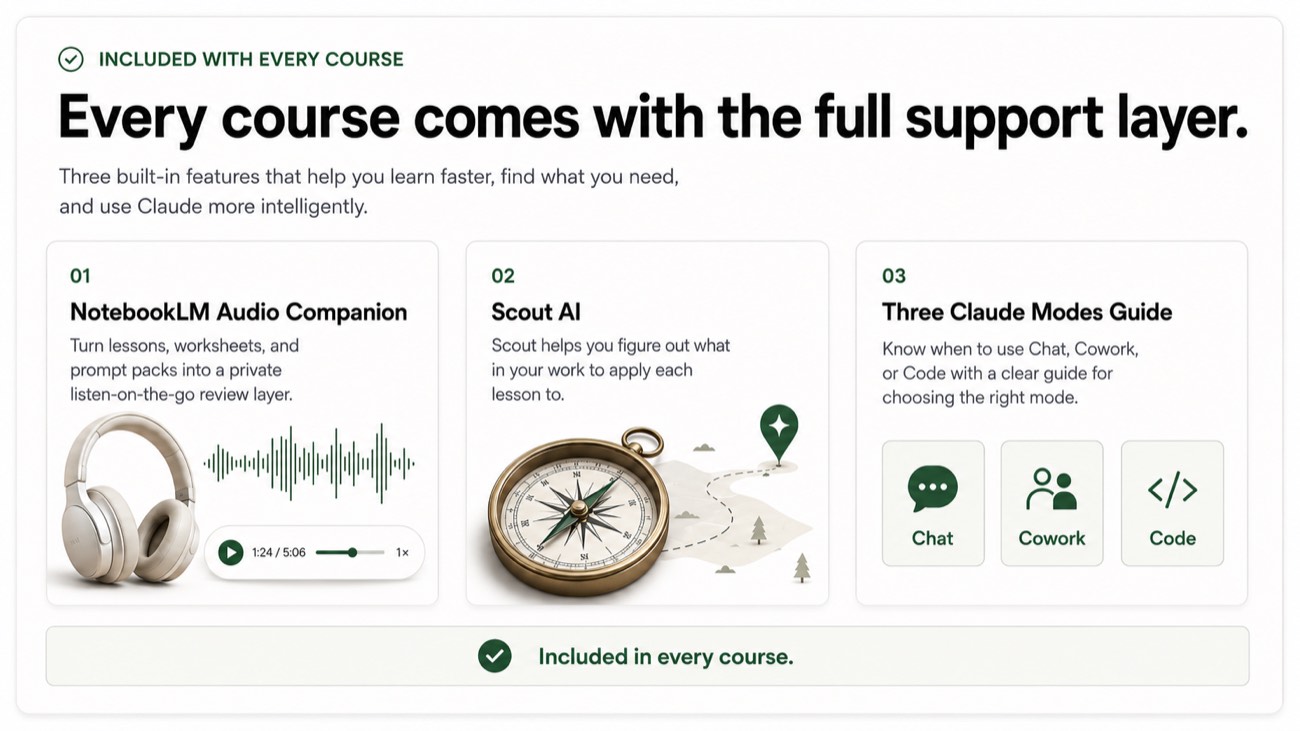
- A course-aware Claude companion included with the course. It helps you choose a task, scope it small, adapt prompts to your role, and check your output. Scout helps you choose and check. Your judgment stays in charge.
- How long does it take?
- A couple of hours a week is plenty, and you can finish your first workflow this week.
- What do I get for $395?
- Lifetime access to all nine modules, prompts, examples, the final-project workflow, your own AI Leverage Scout, and future updates.
→ Build one safe workflow this week
Get one useful win this week.
Start with Module 0 and Module 1 today and finish your first safe, reviewed workflow this week. A calm, practical way to use Claude Code on copied files, with your judgment in charge of every change.
$395 · one-time · Lifetime access. 30-day review period. No subscription, no surprises.