If you work at a nonprofit and you are over 40, you have probably heard a lot of noise about artificial intelligence in the past two years. Some of it sounds exciting. A lot of it sounds like a sales pitch. And some of it sounds frankly scary, especially when the work you do involves people in crisis, sensitive personal data, or donor money you are trusted to spend well.
This article is meant to cut through that. We looked at ten real nonprofits and mission-driven organizations around the world that are using AI right now, in production, with real people on the other end. We tell you what each one actually does, how it uses AI, and, just as important, who is making the claim. Some of these results have been checked by independent researchers or reporters. Others come straight from the technology vendor, which means you should treat the numbers as marketing until someone outside the company confirms them. We flag which is which every time. This is part of our ongoing series of AI case studies across different industries, written for working professionals who want the plain version, not the hype.
The short version: Nonprofits are using AI in six main places: frontline and crisis service, deciding who qualifies for help, research and measuring impact, fundraising and grants, back-office finance, and keeping a human in charge of anything sensitive. The most trustworthy examples are the ones checked by outside researchers or reporters, like Crisis Text Line and Citizens Advice UK. Treat vendor blog numbers, often from Anthropic, the maker of Claude, as claims until proven. The pattern that works: AI handles the slow, repetitive reading and sorting, and a trained human still makes the final call.
Frontline and crisis service: AI that helps you respond faster
The first place nonprofits reach for AI is the front door, the moment someone asks for help. When you serve people in distress, speed and accuracy matter more than anything. The organizations below use AI to sort, flag, and route, but they keep trained humans doing the actual helping.
Crisis Text Line is a free, 24/7 mental health support service. You text HOME to 741741 and a trained volunteer crisis counselor texts back. Behind the scenes, an AI system the organization built reads incoming messages and scores them for risk. When someone's words suggest imminent danger, that conversation is pushed to the front of the queue so a counselor reaches the highest-risk person first instead of in the order they arrived. The organization reports that this approach catches the large majority of imminent-risk texters quickly, and this use has been examined by independent evaluators (Project Evident), which makes it one of the better-documented cases here. Crisis Text Line says its volunteers have answered more than 350 million messages, so the sorting job is real and large.

What makes this example worth studying is the restraint. The AI never talks to the person in crisis. It does one narrow job, ranking urgency, and a human being does the counseling. That is the template you will see again and again in the responsible cases below.
The Epilepsy Foundation serves the roughly 3 million Americans living with epilepsy, plus their families and caregivers. The Foundation built a 24/7 AI companion named Sage, which runs on Claude (the AI model from Anthropic) and Amazon Web Services, and answers common questions about seizures, medication, and daily living in five languages. This one was reported through PR Newswire and the organizations involved, so it sits a notch above a pure vendor blog post, though you should still read the performance details as the Foundation's own account. Sage is designed to give plain, around-the-clock answers to people who would otherwise wait days for a call back, and to hand off to human staff or emergency services when a question is beyond what a chat tool should handle.
The lesson for a smaller nonprofit: a well-scoped answer tool can take the pressure off a tiny staff that cannot pick up the phone at 2 a.m. The key word is scoped. Sage answers questions about epilepsy. It does not pretend to be a doctor.
Deciding who qualifies: targeting and eligibility
A huge amount of nonprofit work is figuring out who needs help and who is eligible for a given program. This is slow, detailed, and easy to get wrong. AI is good at chewing through messy records and matching people to rules, and that is exactly where these next groups put it to work.
GiveDirectly sends cash directly to people living in extreme poverty, with very little overhead in between. The hard part is finding the poorest households in places where there is no reliable income data. GiveDirectly has used machine learning on signals like mobile phone records and satellite imagery to estimate which villages and households are poorest, so the cash reaches people who need it most. In one effort in Bangladesh, this kind of targeting helped direct transfers without sending an army of surveyors door to door. The targeting research is published and reviewed in academic settings, which is stronger than a press release, though specific operational numbers are still largely self-reported. As a sense of the stakes, GiveDirectly points to its own published research finding that $1,000 cash transfers were associated with large drops in infant and child mortality in a Kenya study, which is why getting the targeting right matters so much.

MyFriendBen is a free benefits screener. You answer a few questions and it tells you which public benefits and tax credits you likely qualify for, from food assistance to housing help. The organization uses Claude-based AI agents to keep track of more than 40 benefit programs and their constantly changing rules, and it reports having identified over $1.2 billion in benefits that eligible families were leaving on the table. That figure comes from the vendor side (this is one Anthropic highlights), so treat the dollar amount as a claim rather than an audited number. The underlying problem is very real, though. Benefit rules change often, vary by state and county, and are written in dense legalese. Keeping a current, accurate map of them is exactly the kind of tedious reading AI can help with, as long as a human checks the output before a family relies on it.
If your organization helps people apply for benefits, services, or aid, this is the most relevant pattern in the whole article. AI is well suited to "match this person's situation against a thick rulebook," which is half of what a caseworker does on a hard day. It does not replace the caseworker. It gives the caseworker a faster first draft.
Research and measuring impact: turning data into answers faster
Nonprofits live or die on evidence. Funders want proof. Boards want results. But the people who run programs are rarely the people who can write code to analyze a survey. AI is quietly closing that gap, letting program staff ask questions of their own data in plain language.
IDinsight is a global advisory and data organization that helps governments and nonprofits make decisions backed by evidence. IDinsight reports using Claude to build survey tools far faster than before (it has cited a roughly 16 times speed-up on certain survey-building tasks) and to turn raw field data into dashboards in hours instead of days. These figures come from the vendor relationship with Anthropic, so read them as IDinsight's own account rather than independently audited results. Still, the shape of the win is believable: a lot of research grunt work is formatting, cleaning, and first-pass analysis, and that is precisely where a capable AI tool saves real hours.

Innovations for Poverty Action (IPA) runs and studies anti-poverty programs around the world, often through rigorous field experiments. IPA reports using Claude to analyze pricing and program data across 18 countries, pulling together comparisons that would normally take a research team weeks of manual work. As with the others in this section, that account comes through the AI vendor, so the specific time savings are a claim, not an independent finding. What is solid is the underlying need: comparing data collected in 18 different places, in different formats and languages, is a genuine headache, and a tool that reads and reconciles all of it quickly is a real help to a small research staff.

The Clinton Health Access Initiative (CHAI) works to improve access to medicines and health services in lower-income countries. In one example, CHAI reports using Claude to build a geospatial map of dengue risk in Guatemala in about three days, work that would normally take much longer and require specialized mapping staff. That timeline is from the vendor side, so treat it as CHAI's reported experience. The point that survives the skepticism is that a public health team was able to produce a usable risk map quickly, without hiring a geographic information systems specialist, which changes what a small team can attempt.
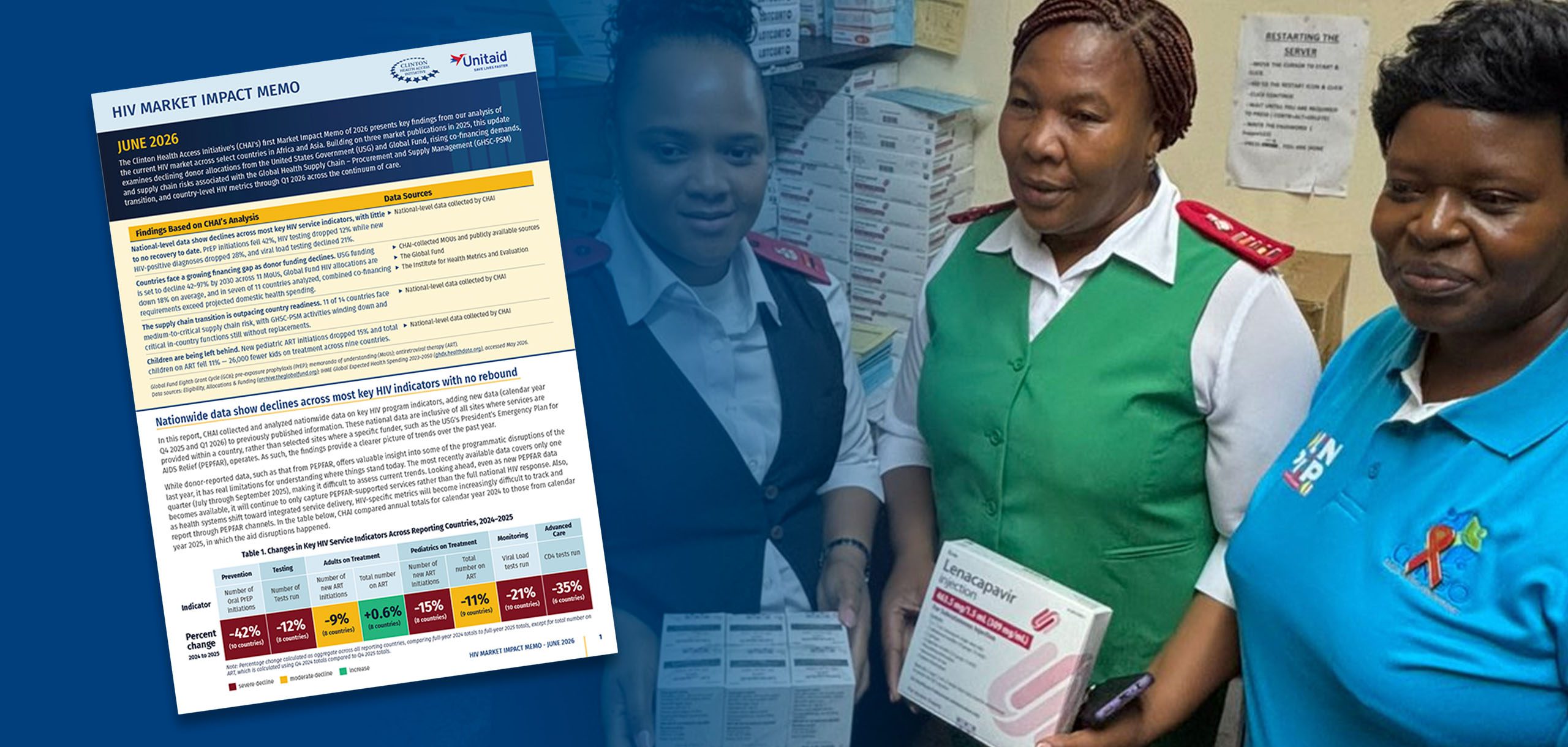
The common thread here is access. AI is letting program people do analysis that used to require a specialist. That is genuinely useful for a sector where the analyst budget is usually the first thing cut. The catch, which we come back to at the end, is that a confident AI answer can be wrong, and someone who understands the data still has to sanity-check it.
Fundraising, grants, and field support: the work behind the work
Most nonprofit staff spend a surprising share of their week on writing and reading: grant applications, donor reports, partner updates, and field documentation. None of it is glamorous, all of it is necessary, and most of it is the kind of structured writing AI handles well as a first draft.
The International Rescue Committee (IRC) responds to humanitarian crises in more than 40 countries, helping people affected by conflict and disaster. The IRC reports using Claude to analyze field data and speed up support to its local partners, so that frontline teams get answers and guidance faster. This example comes through Anthropic, so the specifics are vendor-stated. The believable core is that a large relief organization generates an enormous volume of field reports and partner questions, and a tool that reads and summarizes all of it quickly helps staff spend more time on the response and less on the paperwork about the response.

Citizens Advice in the UK is a network of charities that gives free, confidential advice on debt, benefits, housing, employment, and more. They built an adviser copilot called Caddy, which runs on Claude through Amazon Bedrock and uses a method called retrieval-augmented generation, which is a technical way of saying it pulls answers from Citizens Advice's own trusted guidance rather than making things up. Crucially, Caddy is human-in-the-loop: it drafts a suggested answer, and a trained adviser reviews and approves it before anything goes to the member of the public. This case was reported by the trade press (Computing), which puts it among the better-documented examples here. For a service whose whole value is accurate advice, the design choice is the lesson: the AI speeds the adviser up, it does not replace the adviser's judgment.

If your team writes grant reports, donor updates, or partner communications, this is the most approachable place to start. You can try an ordinary AI chat tool on a single boring document this week and see whether the first draft saves you time. The rule that keeps it safe: the AI drafts, a person edits and signs off.
Back-office finance and operations: the unglamorous wins
Finance and operations rarely make the annual report, but they eat staff time and they are where mistakes are expensive. AI is a good fit here precisely because the work is repetitive and rule-based: reading contracts, matching transactions, summarizing documents. This is also the lowest-risk place to start, because you are working with your own internal paperwork, not a vulnerable person.
World Vision is a large international relief and development organization working in nearly 100 countries. World Vision reports using Claude in its finance function to help with tasks like reviewing leases, performing reconciliations, and summarizing material for audits. This account comes from the vendor side, so the specifics are World Vision's reported experience rather than an audited figure. The reason it rings true is that any organization operating in 100 countries has a mountain of contracts, currencies, and records to reconcile, and the work of reading a lease to pull out the key dates and dollar figures is exactly the kind of careful, boring reading AI does quickly and tirelessly.

Finance is a smart first project for most nonprofits for three reasons. The data is yours, so privacy worries are smaller. The tasks are well defined, so it is easy to tell whether the AI got it right. And the time savings are easy to measure: if reconciling a month used to take two days and now takes half a day, you have a number your board will understand. Start with one repetitive finance task, run it in parallel with your normal process for a month, and compare. That is how you build trust without betting the farm.
Keeping a human in charge: responsible AI in practice
Everything above only works if you take the risks seriously. Nonprofits handle some of the most sensitive data and serve some of the most vulnerable people, which means the stakes of a wrong answer are higher than they are for a typical business. Here is what the responsible organizations in this list actually do, and what you should copy.
First, they keep a human in the loop on anything that touches a person. Citizens Advice has an adviser approve every Caddy draft. Crisis Text Line lets the AI rank urgency but never lets it counsel anyone. The Epilepsy Foundation's Sage answers general questions and hands off when things get serious. The pattern is consistent: AI does the reading and sorting and drafting, a trained person makes the call.
Second, they keep the AI's job narrow. None of these tools are trying to do everything. They each do one well-defined thing, which makes it possible to check whether they are doing it right. A narrow tool you can verify is far safer than a broad tool you have to trust blindly.
Third, they worry about privacy and bias on purpose. When you put people's personal records into any software, you need to know where that data goes and who can see it. And when you use AI to decide who qualifies for help, you have to watch for the tool quietly being unfair to the very people you exist to serve. The serious organizations test for this rather than assuming the software is neutral.
The simplest rule we have heard from nonprofit leaders doing this well: let AI make your people faster, never let it make your decisions for you. If a wrong answer could hurt someone, a human signs off before it goes out.
One honest caution worth stating plainly: many of the impressive numbers in AI case studies, including several in this article, come from the companies selling the AI. That does not make them false. It does mean you should weight an independently reported result (Crisis Text Line, Citizens Advice, the Epilepsy Foundation announcement) more heavily than a number that appears only on a vendor's blog. When you evaluate any AI claim for your own organization, the first question is always the same: who is making this claim, and what would they gain if you believed it?
Frequently asked questions
We are a small nonprofit with no technical staff. Can we really use any of this?
Yes, and the finance and writing examples are where to start. Several of the wins above did not require a data team. They came from one or two staff members using an ordinary AI chat tool to draft a grant report, summarize a long document, or reconcile records faster. Pick one repetitive task that eats your week, try an AI tool on it alongside your normal process, and judge by whether it actually saves time and gets the answer right. You do not need to hire anyone to run that experiment.
Is it safe to put our clients' or donors' personal information into an AI tool?
Be careful here. The free, consumer versions of many AI tools may use what you type to improve their models, which is not appropriate for sensitive personal data. Business and enterprise versions usually offer stronger privacy terms, including a promise not to train on your data. Before you put any real personal information into a tool, read the privacy terms, ask your vendor in writing how your data is handled, and when in doubt, start with non-sensitive internal work like finance or general writing where the privacy risk is low.
Will AI replace our staff or our volunteers?
None of the responsible organizations in this article used AI to replace the people who do the actual helping. They used it to remove slow, repetitive work so their people could spend more time with the humans they serve. The counselors, advisers, and caseworkers are still there, and still essential. The honest exception is the back office: if AI cuts a finance task from two days to half a day, that time has to go somewhere, ideally toward mission work rather than layoffs. That is a leadership choice, not something the technology decides.
How do we know the AI is not making things up or being biased?
Two habits. First, keep a human in the loop on anything that matters, so a person checks the AI's output before anyone relies on it. The better tools also pull answers from your own trusted documents rather than inventing them, which reduces made-up answers. Second, test for fairness on purpose, especially if you use AI to decide who qualifies for help. Run the tool against cases where you already know the right answer and see whether it treats different groups consistently. Do not assume the software is neutral just because it sounds confident.
Where should we actually begin?
Start with one low-risk, high-annoyance task: a recurring finance reconciliation, a grant report first draft, or summarizing long documents. Use a business-tier tool with proper privacy terms. Run it in parallel with your current process for a month so you can compare results and time saved. Keep a person reviewing every output. If it works, expand to the next task. If it does not, you have lost a month of side-by-side testing, not your reputation. Small, reversible steps are how every organization in this article got started.
Where to go next
If you want to see how the same pattern plays out in other fields, we have written plain-language case studies on how real estate runs on AI, how small businesses run on AI, how construction runs on AI, and how hotels run on AI. They cover different industries but the lessons rhyme: AI handles the slow reading and sorting, people keep making the decisions. You can browse the full set on our AI case studies hub.
And if you are ready to learn how to actually use these tools yourself, that is what we do at The Leveraged Years. We teach practical AI, hands-on and step by step, to experienced professionals over 40 who want to put it to work without the jargon. Take our short quiz to find the right starting point for your role (the AI readiness quiz is launching soon, and you can join the early list now), or look through our practical AI courses to find one built for the way you already work.
The organizations in this article are not magic. They are ordinary teams who started small, kept a person in charge, and let AI take the slow work off their plate. You can do the same.