Stop collecting tools and start routing work to the right model
Practical OpenRouter shows professionals how to route tasks across models instead of managing a sprawling toolkit.
Type "best AI tools" into any search box and you get the same thing back: a list of fifty apps, each one apparently revolutionary, most of them indistinguishable, all of them five stars. It is the listicle as wallpaper. Nobody who writes those pieces seems to have done a full week of actual work inside the tools they rank, and you can feel it.
This is the opposite of that. We use these tools every day to ship real work, and we are going to tell you what each one is genuinely good at, where it quietly lets you down, and which ones you can ignore entirely. No tool is magic. Most of the value sits in a small handful of categories, and within each category one or two names do the heavy lifting. The rest is noise dressed up as innovation.
A note on what this guide is and is not. We publish three related pieces, and they do not overlap. This one is the broad consumer and professional shortlist: the named tools everyone asks about, sorted by what they actually do well. If you want tools organized by the specific business job you are trying to finish, read the best AI tools for business. If your question is less about software and more about how to get a team or a company to adopt AI without wasting six months, read the best AI for business, which is about people and decisions, not apps. Three doors, one house. This is the door marked "what should I actually try first."
The skeptic's filter: how we decided what makes the list
Before any names, the rule we used. A tool earns a spot here if it does at least one job meaningfully better than a generalist assistant you already pay for, and if a normal professional can get value from it inside an afternoon. That second test kills most of the market. A huge share of AI products are thin wrappers around a model you could prompt directly, charging a subscription for a slightly nicer text box.
So the honest starting position for most people is uncomfortable for the industry: you probably need fewer tools than you think. One strong general assistant covers a startling amount of ground. The specialists below matter when your work concentrates in their lane. If it does not, skip them and keep your money.
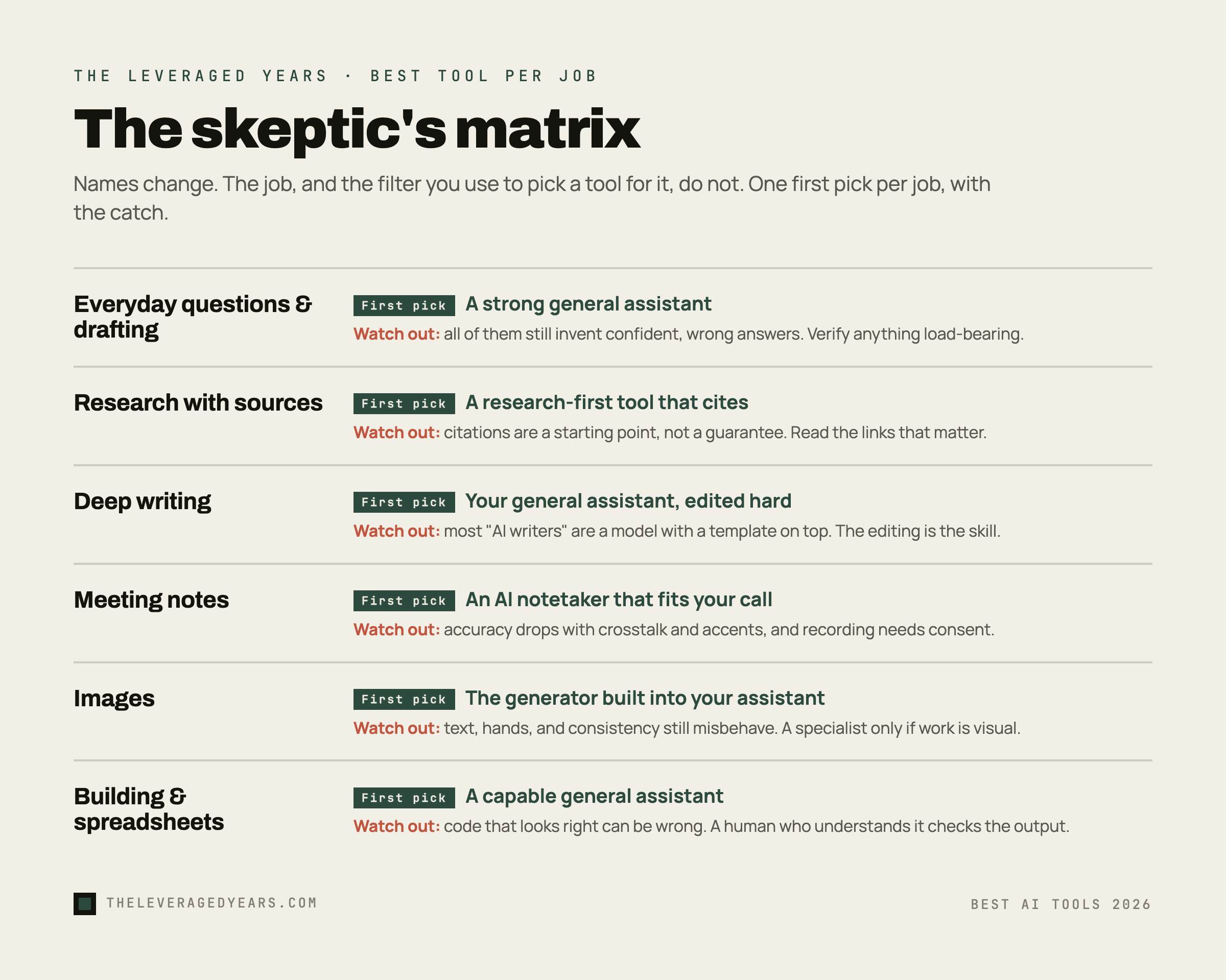
In the matrix below, we name a concrete first pick for each job. The names will change over time. The job, and the skeptical filter you use to choose a tool for it, will not.
The general assistants: the leading chat tools
This is the category that matters most, because for the average professional it is ninety percent of the value. The big general assistants, the ones you already know by name, are the ones you will open ten times a day. They draft, summarize, brainstorm, explain, translate, and reason through messy problems. They sanity-check a contract clause in plain English, rework an overlong email into something brisk, and turn a rambling voice note into a clean set of next steps. If you only ever learn one tool well, make it one of these.
Here is the part the rankings skip: they are more alike than different on most everyday tasks, and the gaps between them are real but situational. One tends to feel like the strongest pure writer, with a calmer, less padded prose style and a willingness to sit with a long document. Another is the most versatile all-rounder and the most comfortable jumping between very different tasks in a single session. A third lives inside a major productivity suite and shines when your work already lives in those documents and inboxes, because it can reach your files without you copying and pasting. We compare two of the most-asked-about options head to head in Claude vs ChatGPT for business if you want the close read.
Where they disappoint is consistent and worth saying plainly. All of them still invent things. A confident, well-formatted, completely wrong answer is the single most expensive failure mode in this entire category, and no provider has solved it. They also drift on long, multi-step instructions, quietly dropping a requirement you stated three messages ago. And the free tiers are genuinely useful right up until they are not, usually at the exact moment you start relying on the better underlying model. The drift gets sharper once a tool acts on its own, which is why it pays to understand how to use ChatGPT agent mode before you hand off a multi-step job.
The skeptic's move here is not to pick the "best" one and marry it. It is to keep access to more than one and learn which one you reach for which job. That sounds expensive. It does not have to be, and we will come back to why at the end. If you are still getting your footing, our primer on how to use AI at work covers the habits that make any of these tools pay off.
Search and research: when you need sources, not vibes
A general assistant will happily answer a factual question. The problem is you cannot see where the answer came from, so you cannot trust it for anything that matters. This is the gap the research-first tools fill. They run an actual search, read the results, and hand you an answer with citations you can click and check.
For real research work, this changes the job. Instead of asking a model what it remembers and hoping, you ask a tool to go find out and show its work. For market scans, "what is the current state of X," competitive checks, and any question where being wrong is costly, this is the category to reach for. The honest framing, which the better tools in this space admit themselves, is that one of them is a search engine with an AI layer on top, not a general assistant. Use it for what it is.
The disappointment is that citations are necessary but not sufficient. A tool can cite a source and still summarize it wrong, or cite a weak source that happens to agree with a confident guess. You still have to read the links for anything load-bearing. People treat the footnotes as a guarantee. They are a starting point for your own judgment, nothing more. Used that way, the research tools are some of the highest-leverage software a knowledge worker can have. Used lazily, they launder hallucinations behind a respectable-looking URL.
Writing: where a specialist beats a generalist (and where it doesn't)
This is the most crowded category and the one where you should be most suspicious. There are hundreds of "AI writers," and the large majority are a general model with a marketing template stapled on. You are usually better off learning to prompt a strong general assistant well than paying for a separate writing app that does the same thing behind a friendlier button. A small, reliable set of ChatGPT prompts for work will take you further than any writing app.
The specialists that earn their keep do one of two things the generalists do not. Some bundle a real content workflow around the writing, with brand voice settings, team libraries, and a pipeline from draft to publish, which matters if writing is your team's core output and volume is high. Others pair text with on-brand images in one place, which saves a real step for marketing teams. If you are a solo professional writing the occasional document, email, or post, you almost certainly do not need any of them. The general assistant is your writing tool.
Where all of them disappoint is voice. AI prose has a tell: the relentless evenness, the tidy three-part lists, the way every paragraph lands its little summary. The more you lean on any writing tool without editing hard, the more your work sounds like everyone else's. The skill that actually separates good output from slop is not the tool. It is your willingness to cut, rewrite, and put yourself back into the draft. No app does that part for you, and the ones that claim to are selling the thing that makes writing worth reading right out of it.
Meeting notes and transcription: the quiet workhorse
This is the most underrated category on the list, because it is boring and it just works. The AI notetakers join your calls, transcribe them, and hand you a summary with action items. For anyone who sits in meetings all day, this is hours back every week, and the value is obvious within the first call.
The honest distinctions matter more here than the brand names. Some tools join the call as a visible bot, which is frankly awkward and occasionally unwelcome in sensitive conversations, while others capture audio more quietly. Some are tuned for sales calls and wire straight into a CRM. Some are built for research interviews and carry quotes through to a themed report. And at least one strong option is built around your own documents rather than live meetings, turning a pile of files into something you can interrogate. Pick by the meeting you actually have, not by the review-site ranking.
The disappointment is accuracy and consent. Transcription is good, not perfect, and it gets worse with crosstalk, accents, and jargon, so the summary inherits those errors. The bigger issue is human: recording people has legal and social weight, and "the AI was taking notes" is not a license to skip telling the room. Treat consent as a feature you turn on deliberately, not a default you forget about.
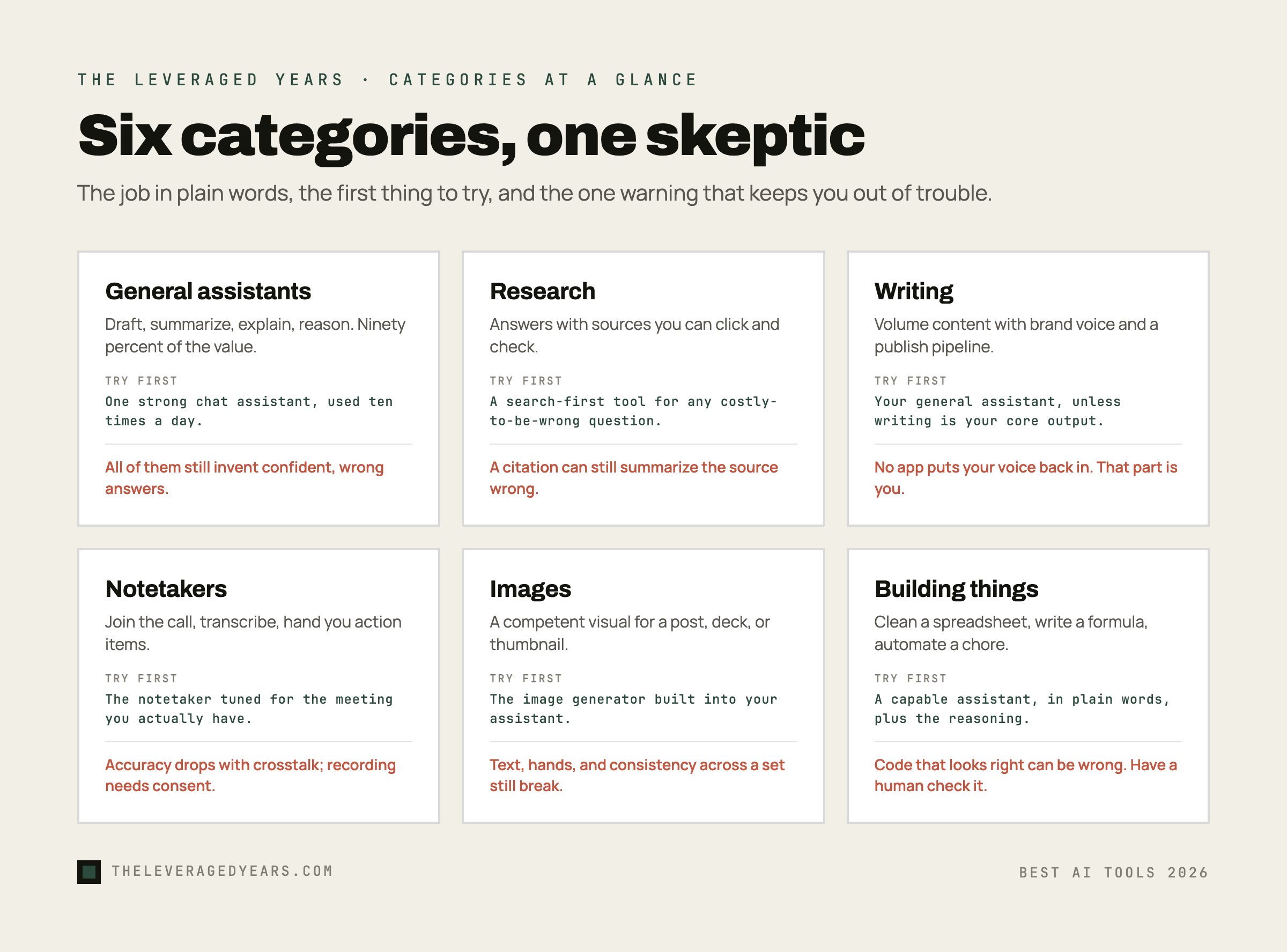
Image generation: impressive, narrow, and easy to overrate
Image tools are the most fun to demo and the most overrated for most professionals' actual jobs. The leading ones produce genuinely striking results, and they come with real tradeoffs. Some excel at artistic coherence and texture, while others prioritize faithfully following exactly what you described, or living inside a tool you already use.
But be honest about your needs. Most professionals need a competent image for a post, a deck, or a thumbnail a few times a month. For that, the image generator built into your general assistant is usually enough, and a dedicated subscription is overkill. The specialists pay off for people whose work is visual: designers, marketers running real volume, anyone for whom "good enough" is not good enough.
The disappointments are well known and have not gone away. Text inside images is still unreliable. Hands, fine detail, and precise composition still misbehave. And consistency across a set, the same character or style image after image, remains genuinely hard. Add the unsettled questions around training data and commercial rights, and the skeptic's posture is simple: wonderful for ideation and rough drafts, riskier as a finished commercial asset without a human checking it.
Coding-adjacent tools: not just for engineers
You do not have to be a developer to get value here, which is the part most "best tools" lists miss. The same assistants that write your emails are quietly excellent at the technical-adjacent tasks that clog up a normal professional's week: cleaning a messy spreadsheet, writing a formula, explaining what a script does, automating a repetitive data chore. The strongest models are very good at this kind of structured work, and that capability is available to anyone, not just engineers.
For non-technical professionals, the move is to stop treating "code" as off-limits and start handing the boring structured tasks to a capable assistant. Think "turn this ugly CSV export into a clean table," or "write the exact spreadsheet formula I need and then explain it back to me." Describe the problem in plain words and ask for the answer plus the reasoning. You will be surprised how much grunt work disappears.
The disappointment, predictably, is trust. These tools produce code and logic that looks right and sometimes is not, and if you cannot read the output you cannot catch the error. For anything that touches real money, real data, or anything you cannot afford to get wrong, you need a human who understands the result. The tool accelerates a competent person. It does not replace the understanding.
The honest conclusion: fewer tools, used better, through one door
Here is the takeaway the listicles will never give you, because it does not sell affiliate links: you need far fewer of these than the market wants you to believe. One strong general assistant, plus a research tool when sources matter and a notetaker if you live in meetings, covers the overwhelming majority of professional work. Everything else is a specialist you add only when your work concentrates in its lane.
The catch is the one nobody mentions in the rankings: the best results usually come from using more than one underlying model, because they genuinely differ, and paying for three or four separate subscriptions to do that is wasteful and annoying. In the general assistants section we said the skeptic's move is to keep access to more than one model and marry none. Here is the practical way to live it. This is exactly the problem we teach people to solve in Practical OpenRouter. Instead of juggling accounts, you connect to many of the leading models through a single OpenRouter account and pay per request, which lets you use the right model for each job without the subscription pile-up.
If you are not sure where you sit or which tools fit your actual work, take the two-minute quiz, and browse our courses when you want to go from trying tools to getting real results with them. For the broader picture of OpenRouter itself, see what is OpenRouter.
The tools are good. They are not magic, they are not all equal, and you do not need most of them. Pick the few that match your work, learn them properly, keep a healthy suspicion about every confident answer, and you will get more out of AI than the person who installed forty apps and learned none of them.